Anubis is now protecting this website
Guess we cannot have peace operating on the web without these bots trying to scrape this website:
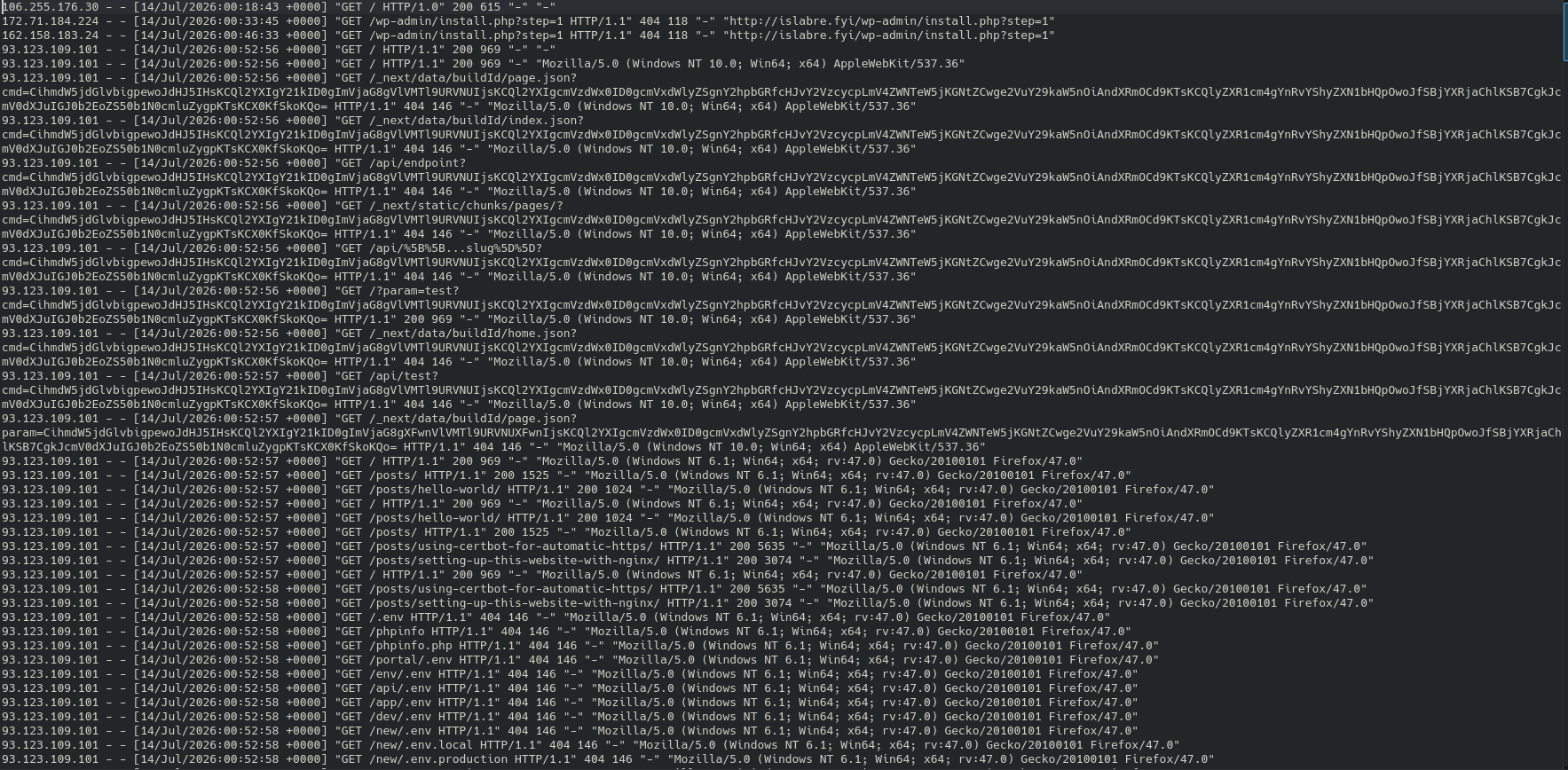
I only start this website like a week ago and I have to deal with this!?
Sad.
Anyway, here's now I setup Anubis to help stopping them.
Setup
-
As always, SSH to the server first:
ssh personal-server -
Install Anubis deb from GitHub:
curl -fLO https://github.com/TecharoHQ/anubis/releases/download/v1.25.0/anubis_1.25.0_amd64.deb apt install ./anubis_1.25.0_amd64.deb -
Copying default configuration so I could do it for each website I serve:
cp /etc/anubis/default.env /etc/anubis/personal-website.env cp /usr/share/doc/anubis/botPolicies.yaml /etc/anubis/personal-website.botPolicies.yaml -
Configure
/etc/anubis/personal-website.env:BIND=:8923 BIND_ADDRESS=tcp DIFFICULTY=4 METRICS_BIND=:9090 SERVE_ROBOTS_TXT=0 POLICY_FNAME=/etc/anubis/personal-website.botPolicies.yaml TARGET=http://localhost:7797 -
Configure
/etc/nginx/conf.d/personal-website.confto use Anubis:upstream anubis { server localhost:8923; } server { listen 443 ssl; server_name islabre.fyi; root /var/www/html/Personal-Website; ssl_certificate /etc/letsencrypt/live/islabre.fyi/fullchain.pem; # managed by Certbot ssl_certificate_key /etc/letsencrypt/live/islabre.fyi/privkey.pem; # managed by Certbot location / { proxy_set_header Host $host; proxy_set_header X-Real-IP $remote_addr; proxy_set_header X-Http-Version $server_protocol; proxy_pass http://anubis; } } server { listen localhost:7797; server_name islabre.fyi; root /var/www/html/Personal-Website; location / { } } -
Start Anubis and restart nginx:
systemctl enable --now anubis@personal-website.service systemctl restart nginx.service -
Visit this website. If you see Anubis splash screen then you're good to go!
UPDATE
It seems that this is not enough. I need to combine Anubis with rate-limiting to stop them from requesting this website too much.
To do it, add the following to /etc/nginx/conf.d/rate-limiting.conf:
limit_req_zone $binary_remote_addr zone=perip:10m rate=1r/s;
limit_req_zone $server_name zone=perserver:10m rate=10r/s;
Update /etc/nginx/conf.d/personal-website.conf:
...
server {
    listen 443 ssl;
    server_name islabre.fyi;
    root /var/www/html/Personal-Website;

    ...

    limit_req zone=perip burst=5 nodelay;
    limit_req zone=perserver burst=10;

    ...
}
...
And, test the configuration before reloading:
nginx -t
systemctl restart nginx.service